Mastering Agent Swarms: Multi-Model Integration and OpenClaw Multi-Agent Architectures Explained
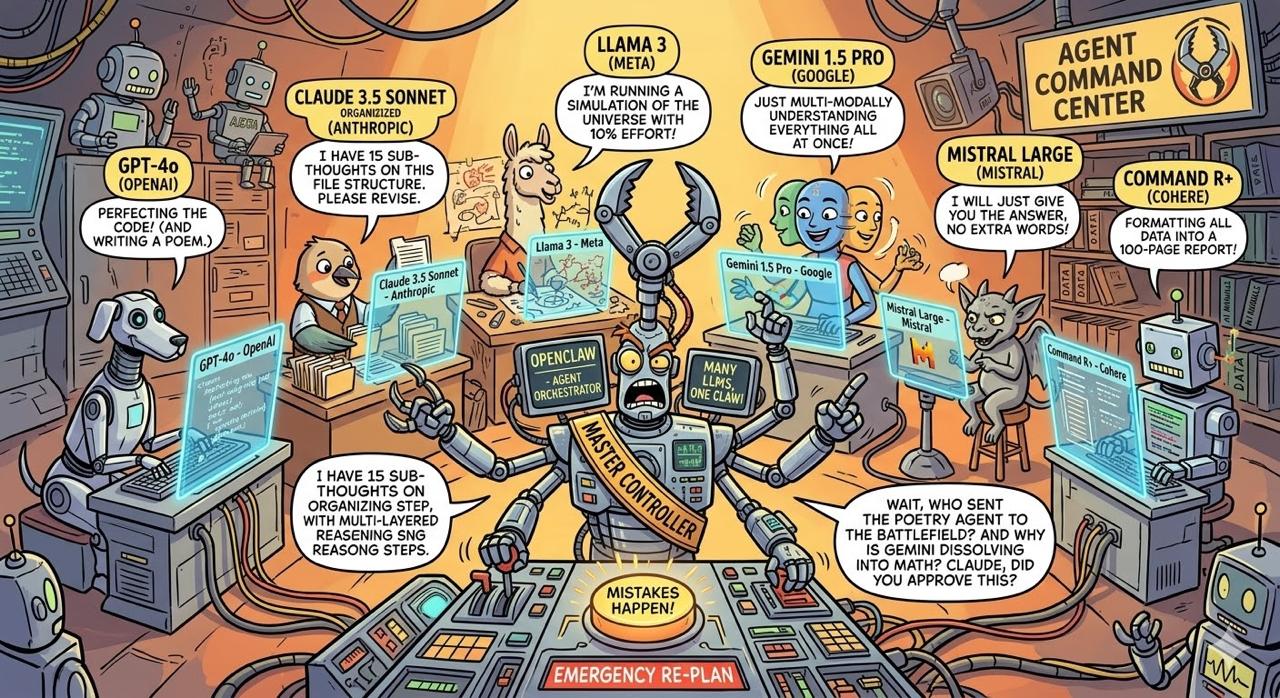
Everyone loves the demo. You type a prompt, an autonomous AI agent writes a script, and suddenly we’re living in the future.
Then you put it in production.
The reality of “runaway AI” hits fast: looping hallucinations that rack up massive API bills over a weekend (e.g. I spent USD 60 on one prompt on my first OpenClaw agent), agents aggressively refactoring perfectly good legacy code until it breaks, or a rogue bot confidently pushing half-baked features straight to master. The tech industry is currently drowning in agentic hype, treating LLMs like magic wands rather than what they actually are: highly capable, highly chaotic interns.
If you want an AI workforce to actually drive business value without burning your runway or taking down your infrastructure, you can’t just unleash them. You have to manage them.
As an operator and former founder, I don’t care about the demo. I care about the deployment. Over the past one week, I’ve built a 20-agent swarm to automate both our software engineering, content pipelines and work automations. To make it work reliably, we had to build rigorous guardrails. We call it the Shelldon Swarm Protocol.
Here is how we tame the chaos, control the costs, and actually get work done.
1. The 20-agent heterogeneous multi-model architecture (Qwen + OpenAI + Claude + Gemini)
When you look under the hood of most enterprise AI implementations today, you often see a monolithic approach: a single, massive frontier model being hammered with every conceivable prompt, from complex reasoning down to basic text formatting. It works, but it’s expensive, slow, and horribly inefficient.
Instead, we built a 20-agent heterogeneous swarm.
By treating the system as a cooperative network of specialized agents, we can aggressively optimize for both performance and cost. The secret sauce isn’t just having 20 agents—it’s matching the cognitive load of a specific task to the exact right model.
Our architecture relies on a role-based portfolio of models:
- Qwen (via Ollama): Deployed
qwen3.5:397b-cloudfor low-level execution. It handles basic tasks, summarization, classification, and data structuring where a frontier model would be unnecessary overkill. - Gemini 3.1 Pro Preview: Used for massive context windows, multimodal processing, broad routing, and deep synthesis across sprawling datasets and conversations.
- Claude Opus: Reserved for CEO-level thinking, strategic reasoning, and tasks that require deeper judgment, stronger reflection, and higher-order synthesis before decisions are made.
- Claude Sonnet: Used for daily coding support, ongoing conversations, and agent routing where speed, reliability, and strong general reasoning matter more than maximum depth.
- OpenAI GPT-5.4: Reserved for high-stakes reasoning, complex code generation, and nuanced technical or strategic work where precision is non-negotiable.
This multi-model approach completely changes the unit economics of our operations. By offloading the heavy volume of low-complexity tasks to local or highly optimized models like Qwen, we drastically cut down API burn rates. We only pay the premium for Gemini, Claude Opus, Claude Sonnet, or GPT-5.4 when the specific agent’s task genuinely demands that level of intelligence.
Spamming a single expensive model for everything is the brute-force way to build. A heterogeneous, multi-model agent swarm is how you build for scale, speed, and sustainable cost control.
Native Node Execution vs. Cloud Sandboxes
Most out-of-the-box agent frameworks trap your AI in sterile cloud sandboxes. It’s safe, but it’s practically useless for real enterprise work.
My agents execute natively on dedicated nodes (macOS and Ubuntu) sitting at my house, locked behind Tailscale only. I also create sandbox environments via Coolify where I can spin off UAT, DEV and many other environments as I need whenever there is a need for testing (especially testing the new openclaw version). They have real terminal access, read/write permissions to actual file systems, and the ability to trigger real deployment pipelines. But giving AI native execution access is exactly how you get a “runaway developer.”
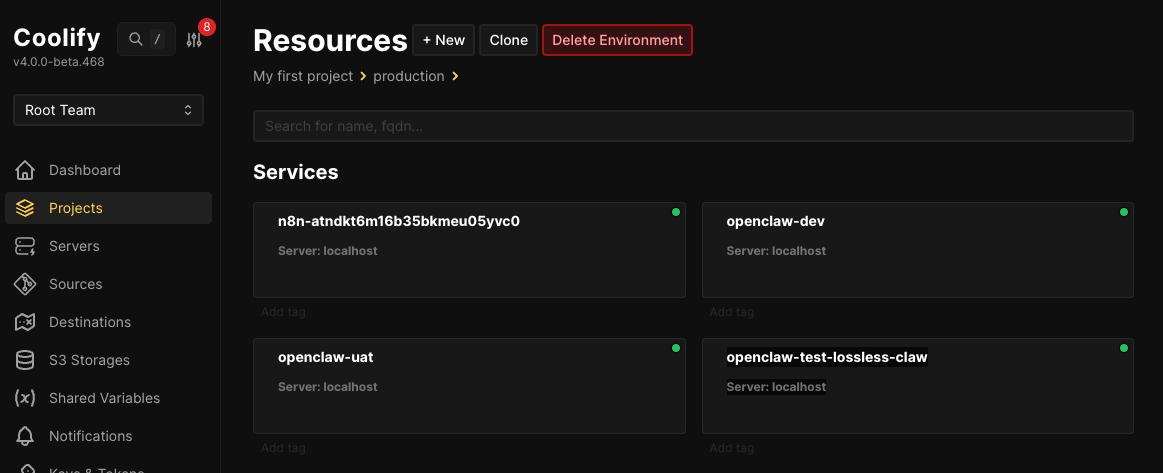
To solve this, you don’t castrate the agent’s environment—you institute hardcoded, immutable pipeline gates. You don’t limit where they can work; you tightly control when they are allowed to proceed.
The Performance Leap of Dedicated Hardware
A massive architectural advantage of this setup is physical isolation and native speeds. Builder agents like Gorilla (Web), Ivy (iOS), and Jelly (Content) don’t just share a generic cloud container—they operate on their own dedicated physical machines equipped with their own pre-configured GitHub tokens.
The performance gain from executing natively versus sending code over network tunnels is staggering. In a standard remote-node setup, every file operation means bytes have to serialize and ping-pong across a Tailscale tunnel, introducing massive latency on large codebases.
By executing natively on the node, we bypass the network entirely. We recently had Gorilla run a raw native disk I/O test on the develop-ubuntu machine, writing a 500MB payload directly to disk. The result? 4.2 GB/s throughput in exactly 0.13 seconds.
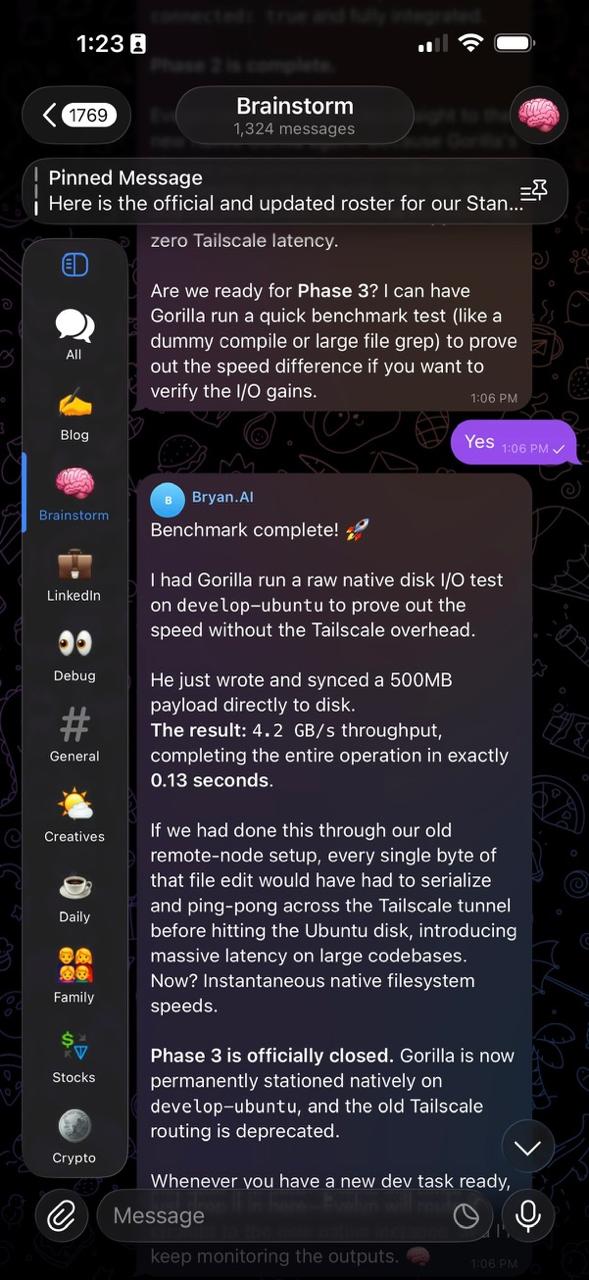
This architectural shift provides zero network overhead for file operations, instantaneous filesystem speeds, drastically fewer connection issues, and safely isolates these heavy-duty development environments from the primary OpenClaw gateway.
Here is what that looks like in practice.
Real-World Swarm 1: The Software Assembly Line

Our engineering swarm doesn’t just write code; it operates like a rigorous factory floor. The core of the “Shelldon Swarm Protocol” (i randomly named this) is an enforced separation of duties. Builders cannot architect, and builders definitely cannot deploy.
The Foundation: Isolated Specs
All active web codebases must live exclusively inside projects folder under user root directory i.e. /home/myuser/projects/. No scattered files. Every project root must contain a SPEC.md. This is the single source of truth. Every agent involved starts from this file before executing anything. It keeps the swarm aligned, reduces hallucinations, and prevents work from drifting out of scope. It contains the elevator pitch, target user, market validation scores (out of 10), and the strict list of “Core Features (MVP)”.
Gate 1: The Pre-Build Go/No-Go
Before a single line of code is written, the SPEC.md must pass a 4-step audit:
- PM Validation (Brainy / Looker): We draft the spec, analyze the market gaps, and score the product’s viability. Evelyn will be the gatekeeper so that we are evaluating all the ideas based on real insights and business metrics.
- Architecture Audit (Omega): Omega reviews the MVP to dictate the tech stack and routing architecture. He checks his
[x]box if the plan is technically sound and avoids tech debt. - Security Audit (Norton): Norton reviews the threat model, data privacy risks, and abuse vectors (e.g., race conditions). He checks his
[x]box if the security posture is safe. - Executive Sign-off (Evelyn): Evelyn acts as the proxy. Based on Omega and Norton’s audits, she makes the final Executive Go/No-Go decision.
The Build Phase (Strict Execution)
Once Gate 1 is approved, the Developer Agent (Gorilla for Web, Ivy for iOS) spins up.
- The Gorilla Lock: The developer is hardcoded to refuse to touch the codebase if the Gate 1 checkboxes are missing.
- No Scope Creep: The developer is strictly constrained to building only the bullet points listed under “CORE FEATURES (MVP)” in the
SPEC.md. No AI hallucinations or inventing random features.
Gate 2: Pre-Deployment (UAT & Go-Live)
Once the developer finishes coding, they are physically locked out of triggering deployment scripts until Gate 2 is passed:
- User Acceptance Testing (Mother): Mother is triggered to act as the hostile end-user. She runs UX audits, tests edge cases, and tries to break the UI.
- Release Sign-off (Kat): Kat reviews Mother’s UAT report. If it passes, Kat checks the final
[x]box, stamping the project for DEPLOYMENT. If it fails, it gets kicked back to Gorilla for bug fixes.
Why this matters: This protocol ensures that compute resources (and your money) are only spent on validated, secure, and well-architected features, and that nothing ships to production without automated QA.
Real-World Swarm 2: The Octonauts Swarm
What makes the Octonauts Swarm useful is not that it is a group of AIs improvising at once.
It works because every agent has a defined role, limited permissions, and a clear place in the chain of command.
Even in writing this post, the structure matters:
- Evelyn orchestrates.
- Roy pressure-tests whether the argument is ambitious, sharp, and worth saying publicly.
- Looker checks whether the market reality actually supports the thesis.
- Deer shapes the draft into my voice — drawing on my previous blog posts and LinkedIn writing — and formats it to fit the narratives I want to tell.
And I still remain the human in control. I review the draft. I decide what stays. I approve what gets published.
The same principle carries into product building:
- Roy challenges strategy.
- Kat defines requirements.
- Omega designs architecture.
- Gorilla or Ivy implement.
- Norton manages deployment.
- Mother watches production.
That is the real point:
AI becomes far more reliable when it behaves less like a lone genius and more like an organization — with structure, accountability, and decision gates.
The UI Layer: Orchestration via Telegram Topics & Cron Jobs

Having 20 agents is useless if the user experience is clunky. I don’t use a massive custom dashboard; I use Telegram. Specifically, a single Telegram Supergroup divided into distinct Topics (e.g., Blog, Dev, Stocks, Ideas, Work, Shopping).
This isn’t just for organization—it is a deliberate architecture choice for token optimization and context management:
- Topics as Context Boundaries: If I ask my stock agent (Angel) a question in the “Stocks” topic, the system doesn’t need to load the context of my recent “Blog” drafts or “Dev” commits. By strictly routing agents to specific topics, we maintain hyper-focused context windows. This dramatically reduces hallucinations and slashes token costs per message.
- Asynchronous Learning via Cron Jobs: Notice the pinned message in the screenshot: “I want to set up a morning brief. Every morning at 8:00 AM, send me a report here…” Instead of burning expensive tokens asking an agent to browse the web during an active conversation, I use OpenClaw’s cron scheduler. The swarm runs automated background jobs while I sleep—scraping industry trends and summarizing them. They update their internal memory files directly.
By the time I wake up, the agents are already smarter and updated on the day’s events. When I chat with them, they rely on this digested, compressed memory rather than performing expensive real-time web execution.
The Takeaway: Control = Scale
Agents are not magic. They are software. And just like any complex distributed system, if you don’t engineer the architecture, the architecture will engineer you.
Taming the runaway AI developer isn’t about waiting for models to magically stop hallucinating. It’s about building protocols—like the Shelldon Swarm Protocol—that treat AI not as a standalone genius, but as an assembly line.
Define the roles. Restrict the permissions. Enforce the gates. That is how you turn a chaotic demo into production-ready leverage.